Screen recorder with curved display, tilt, depth, and screen glow
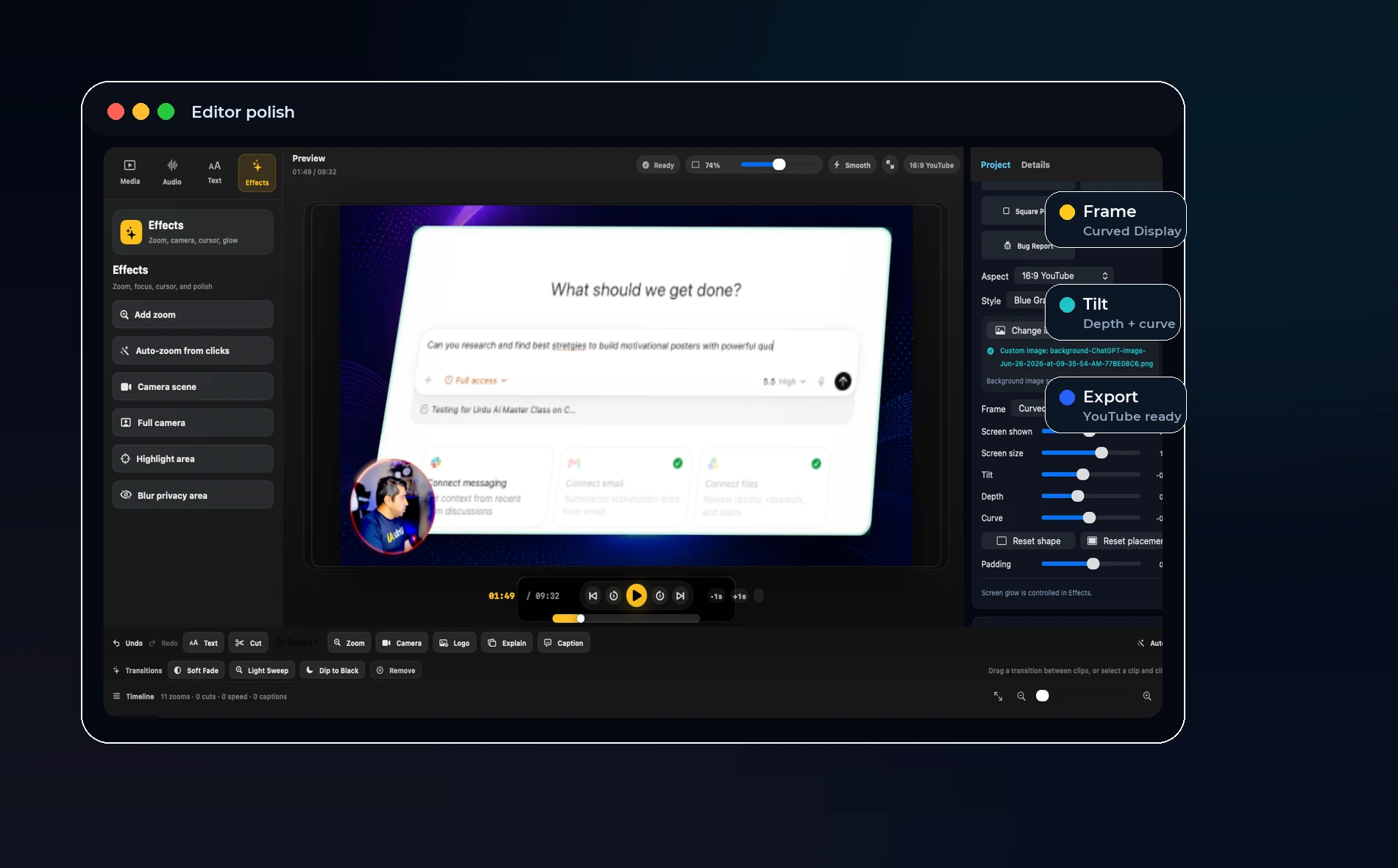
Direct answer: Tilt, depth, curve, and glow are useful when they help a screen recording feel designed, but they should remain adjustable presets rather than a complicated motion-graphics editor.
Why screen style matters
Many screen recordings look flat because the screen is pasted onto a plain background. That is acceptable for documentation, but product demos and launch videos often need a more polished look.
A curved display, soft glow, or slight depth effect can make the same recording feel like a finished video instead of raw capture.
The risk of overdesign
Too much tilt can make text blurry. Too much curve can distort the screen. Too much glow can hide interface details. These effects should be controlled by simple sliders and easy reset buttons.
The screen is still the lesson. The style should support clarity, not compete with it.
OurScreen’s advantage
OurScreen can keep this inside the editor. A creator can record normally, then choose a YouTube, Shorts, course, or product-demo look afterward.
That is more useful than forcing the presenter to decide every visual detail before recording.
Best use cases
Use depth and glow for hero demos, landing-page videos, product launch clips, and social posts. Use a cleaner flat layout for training, documentation, and long lessons.
Try OurScreen: OurScreen is a local-first Mac studio for people who explain things. Join the pricing page if you want to test the signed Mac build.
FAQ
Will tilt and curve hurt readability?
They can if pushed too far. The safest preset keeps text mostly flat and uses only light perspective.
Should every video use a stylized screen?
No. Use design effects for attention and branding, not for every internal tutorial.